業務に持ち込む、実践型トレーニング・ワークショップ

AIの出力がブレるのは
書き方ではなく設計

Markdownで書き、HTMLで束ねる。
AIと人間の共通の設計書をつくる作法を学べます。
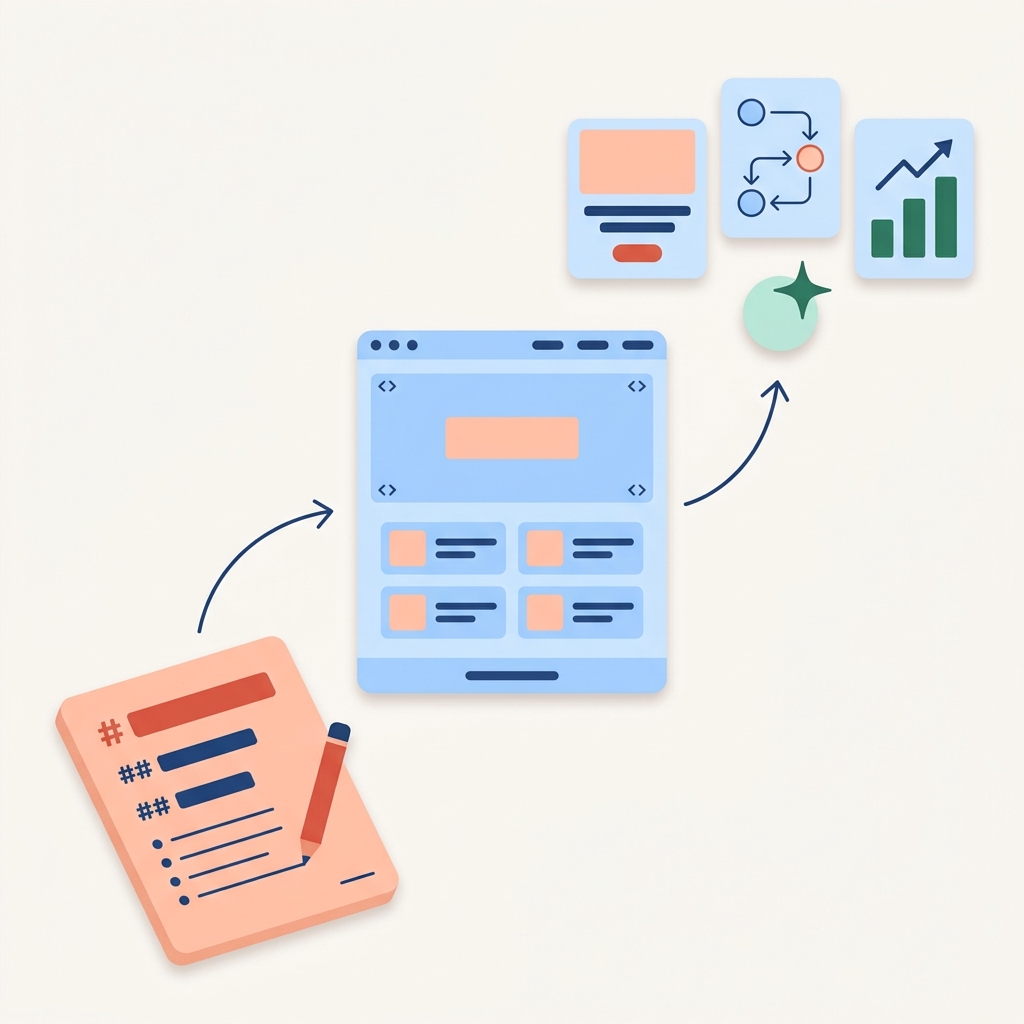
書く 束ねる 動かす
A hero-style vertical illustration in editorial flat style on a clean off-white #FAF6F1 square background, soft and quiet, no heavy borders, no cartoon outlines, generous white space, 1:1 square aspect. ABSOLUTELY NO TEXT, NO LABELS, NO WORDS, NO LETTERS, NO NUMBERS anywhere in the image — no English, no Japanese, no captions, no part markers. The composition is a clear three-part diagonal flow from bottom-left to top-right depicting a Markdown design becoming a structured HTML web page and then producing concrete deliverables. The three parts feel COMPARABLE in importance. PART ONE (bottom-left, about 28 percent of the canvas): An open notebook page tilted at 3/4 perspective, page color soft peach #FFC7B3 with subtle paper texture and rounded corners. Visible Markdown elements arranged like a real document — one '#' heading bar in solid terracotta #E55345, two '##' sub-heading bars in solid navy #1F4A8A, three '-' bullet rows in navy. A small terracotta #E55345 pencil rests on it. PART TWO (CENTER, large, about 36 percent of the canvas, slightly tilted in 3/4 perspective): A clearly recognizable web-page wireframe card in sky-blue #B9D6FF — at the top a thin navigation bar with three small navy menu dots, below that a large hero block taking the upper third (sky-blue with a flat solid peach #FFC7B3 rectangle inside as a hero image placeholder — IMPORTANT: this rectangle must be a flat plain solid color, NO sun, NO cloud, NO weather icon, NO illustration of any kind inside it, just one flat peach rectangle), below that two columns of two content cards each (each card is a small sky-blue rectangle with one peach square thumbnail and two short navy lines beside it), and a thin footer bar at the bottom. Small '<>' tag marks visible in the top corners of two blocks. This is OBVIOUSLY a structured HTML page wireframe — the central anchor of the composition. PART THREE (top-right, about 28 percent of the canvas): Three concrete output thumbnails in a tight 3/4-perspective cluster, each clearly recognizable: (a) a finished mini-website tile showing a flat peach #FFC7B3 hero rectangle (no internal icon, no weather, no illustration), a navy headline bar below it, and a small terracotta #E55345 rounded CTA button — looks like 'a finished landing page'; (b) a workflow / automation diagram tile with three small connected nodes and arrows showing a process — sky-blue nodes with one peach #FFC7B3 highlighted node and thin navy arrows — looks like 'a process diagram'; (c) a report / dashboard tile with three ascending bar chart bars in deep mint #2A6F50 and a small upward trend arrow — looks like 'a report'. A small AI sparkle node in soft mint #B7E6D6 with a 4-pointed deep-mint #2A6F50 sparkle floats just below the cluster, suggesting AI is generating these. A single thin curved navy #1F4A8A motion arrow flows from the notebook in part one through the HTML wireframe in part two into the AI sparkle and outputs in part three. Soft ambient drop shadows under each layered object, generous rounded corners, friendly editorial illustration style. Brand palette: terracotta #E55345, peach #FFC7B3, sky #B9D6FF, mint #B7E6D6, navy #1F4A8A, off-white #FAF6F1. CRITICAL CONSTRAINTS: render ZERO text characters, ZERO words, ZERO letters, ZERO numbers anywhere; no STAGE labels, no PART labels, no captions, no annotations, no logos. No weather icons, no sun, no cloud, no human faces, no realistic illustrations inside placeholder rectangles. All rectangles meant as 'image placeholders' must remain as flat plain solid colors only. Clean Japanese-style minimalism.

マルクルは、学びを
確かな成果につなげる
実践型トレーニングサービス。

Markdownで書き、HTMLで束ねる。
これがMARKURUの研修の中心メソッド。
AIと人間の共通の設計書をつくる作法を、ワークショップ形式であなたの業務に組み込めるかたちで身につけます。

書く
束ねる
動かす
設計言語
プロンプトの先にある共通言語
Markdown × HTML
書く層と束ねる層の二層構造
移植可能な資産
AIが進化しても、設計書は残る
受講前の課題

なぜAI活用は、再現できないのか。

AIを業務に取り入れたものの、こんな壁にぶつかっていませんか。

MARKURUの中心メソッド

Markdownで書き、HTMLで束ねる。

プロンプトの試行錯誤ではなく、AIに正しく届け、人間が後から辿れる再現可能な作法。
MARKURUの研修で学べば、AIの出力をあなたの思い通りに動かせるようになります。
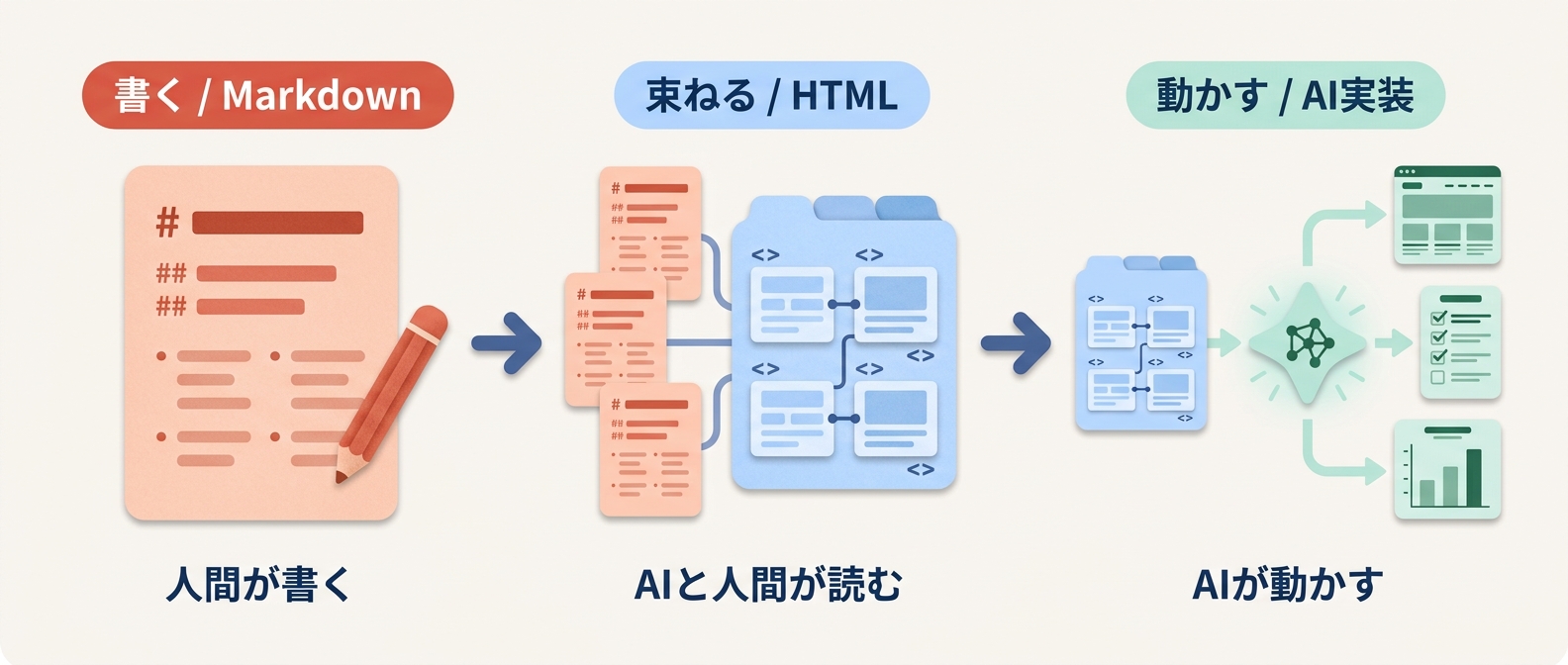
A wide horizontal infographic illustration in editorial flat style on an off-white #FAF6F1 background, divided into three labeled stages connected by smooth right-pointing arrows. The illustration is for a Japanese audience — render all rendered text in clean Japanese kanji and hiragana (Noto Sans JP feel), high legibility, no English subtitles. Stage 1 top label pill reads exactly: '書く / Markdown'. Stage 1 visual: an open notebook-like sheet showing visible Markdown lines — one '#' heading bar, two '##' sub-heading bars, three '-' bullet rows arranged like a real Markdown document — page color soft peach #FFC7B3, a small terracotta #E55345 pencil resting on it. Stage 1 caption underneath reads exactly: '人間が書く'. Stage 2 top label pill reads exactly: '束ねる / HTML'. Stage 2 visual: three small Markdown sheets being collected into a single tabbed document; the cover is sky-blue #B9D6FF showing 4 sectioned blocks with mini connector lines representing structured tags ('<>' marks visible). Stage 2 caption underneath reads exactly: 'AIと人間が読む'. Stage 3 top label pill reads exactly: '動かす / AI実装'. Stage 3 visual: the structured document on the left, an arrow into a small abstract AI symbol shaped like a soft mint #B7E6D6 sparkle node, and three thumbnail outputs on the right — a tiny webpage rectangle, a small checklist for automation, a tiny bar chart for reports — in soft mint #B7E6D6 with deep mint #2A6F50 accents. Stage 3 caption underneath reads exactly: 'AIが動かす'. All elements have subtle paper texture, soft drop shadows, generous rounded corners, friendly editorial illustration style. Brand palette: terracotta #E55345 / peach #FFC7B3 / sky #B9D6FF / mint #B7E6D6 / navy #1F4A8A / off-white #FAF6F1. The only legible text in the entire image are the six Japanese strings listed above ('書く / Markdown', '束ねる / HTML', '動かす / AI実装', '人間が書く', 'AIと人間が読む', 'AIが動かす'); document interiors show only abstract bars and shapes, no real characters. No logos. Japanese characters must be cleanly rendered with balanced kerning and no fragments.

この設計言語を、あなたの業務シーンに合わせて身につけるのがMARKURUの研修です。
設計言語を構成する 3つの.md(Markdown)と 3種のHTML の具体的な作法をご紹介。
研修プログラムを見る →

なぜ、マークダウンとHTMLが重要なのか

研修で身につける具体的な作法を、サンプル付きで解説します。

書く言語:Markdown

3つの .md で、思考と意図をAIに渡す

わたし/答え方/依頼。この3つを書き分ければ、AIの出力は劇的に安定します。各カードをクリックすると、実際のサンプルが開きます。

わたし × 答え方 × 依頼 AIが、毎回同じ品質で動く
1
LAYER 1 — わたし
いま、誰のために、何を目指す?
あなたが何者で、このプロジェクトで何を目指しているか。AIに最初に伝えておきたい前提を書く。
about.md
サンプル:about.md
# わたしのこと ## 役割 - 中堅SIerの営業企画リーダー ## いま目指していること - 提案書作成を3倍速にする - メンバー間で品質を揃える ## 成果の目安 - 1案件30分でドラフト完成 - 受注率 +5pt
書く前と、書いた後

書く前:毎回「うちの会社は…」と背景説明から始まる。AIの提案も的外れ。

書いた後:AIが文脈を理解した状態でスタート。「次の案件どう攻める?」だけで、自分の言葉で返してくる。

2
LAYER 2 — 答え方
どう答えてほしい?してほしくない?
トーン・出力の型・禁止事項。AIの「振る舞い方」を1回書いておけば、毎回同じ品質で返ってきます。
style.md
サンプル:style.md
# 答え方のルール ## トーン - ですます調・断定的に - 1段落は3行以内 ## 出力の型 - 結論ファースト - 要点はMarkdown表で整理 ## やめてほしいこと - 専門用語の羅列 - 「思います」など曖昧表現
書く前と、書いた後

書く前:同じ依頼でも、その日の気分で「ですます」だったり「である」だったり。出力の体裁がバラバラ。

書いた後:誰が使っても、いつ頼んでも同じ型で返ってくる。組織で配布できるのはこのレイヤーがあるから。

3
LAYER 3 — 依頼
いま、何を頼む?
今回のタスク。1〜2 が整っているので、ここはシンプルに「何を/何のために」だけ書けば伝わります。
task.md
サンプル:task.md
# 今回の依頼 ## 相手 - 中堅製造業 / 経営企画部 ## 状況 - DX推進が部署任せで停滞 - AI導入予算は確保済み ほしい成果物 - 提案書ドラフト(5枚) - 想定質問と回答
書く前と、書いた後

書く前:長いプロンプトに前提・口調・依頼を全部詰め込む。書く側が疲れて、結果もブレる。

書いた後:1と2が効いているので、ここは箇条書きでOK。書くのが楽になり、出力は安定する。

ここまでが「書く」レイヤー。
次は、これらを束ねて、AIと人間の共通仕様書にします。

読まれる言語:HTML

書いた設計を、AIと人間が読める形に

Markdownは書きやすい。
でも、後からチームやAIが読み返すときには、もう一段の構造が要ります。それがHTMLです。

01

AIが正確に読める

意味のあるタグで書かれているから、AIが構造を取り違えない。

02

人間がブラウザで読める

URLひとつ渡せば、誰でもすぐ参照できる。

03

設計同士をリンクで繋げる

仕様書からデザインルールへ。設計が散らばらない。

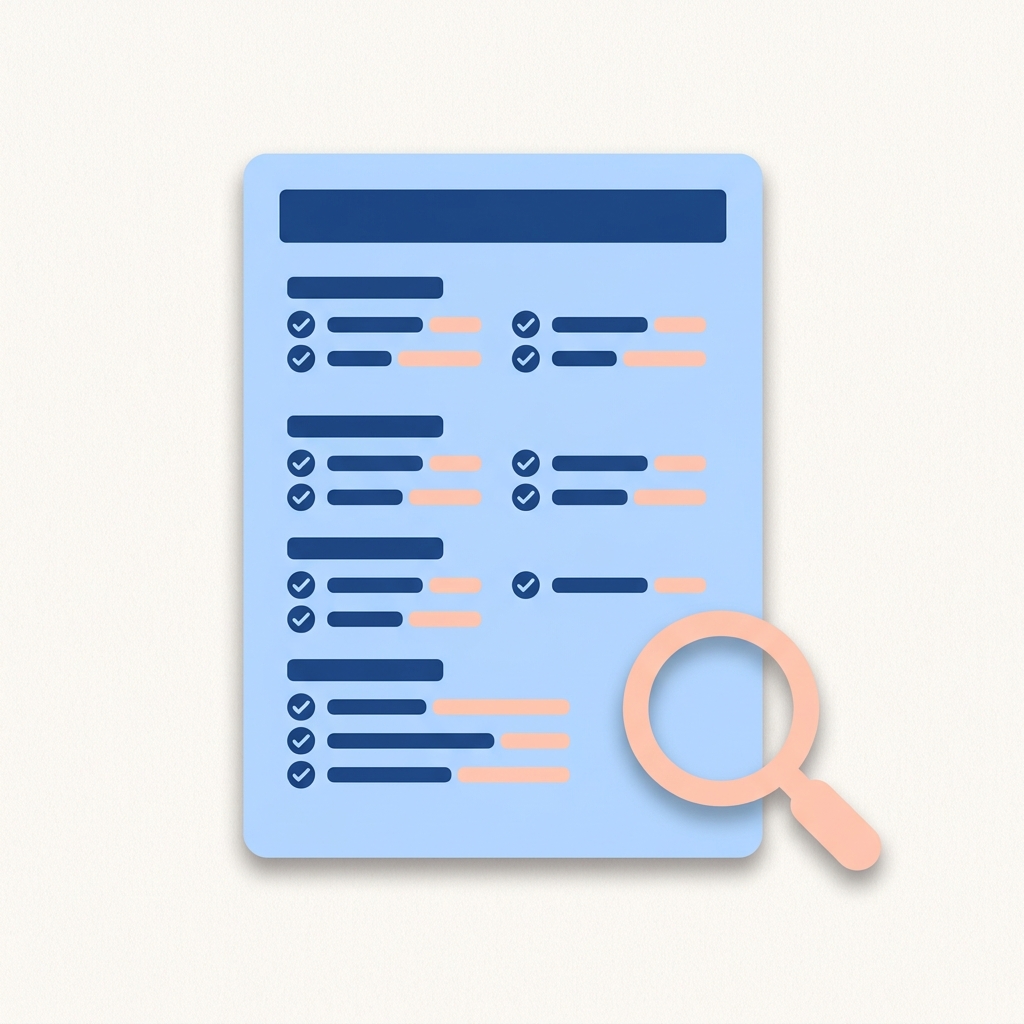
A flat editorial infographic icon, on an off-white #FAF6F1 square background, of a single document page mockup tilted slightly in 3/4 perspective. The page has a sky-blue #B9D6FF body, a navy #1F4A8A title bar at the top (no real text, just a flat color bar), and four labeled section groups stacked below — each section shows a short navy header bar with two or three small navy-and-peach #FFC7B3 ticked checklist rows beside it. A soft peach #FFC7B3 small magnifying glass overlaps the bottom-right corner. Soft drop shadow, rounded corners, friendly editorial illustration. The document interior must contain only abstract bars and tick marks — no real letters or numbers. Brand palette: terracotta #E55345 / peach #FFC7B3 / sky #B9D6FF / navy #1F4A8A. No logos. Communicates 'a structured specification document'. spec.html

仕様書

何を作るかを、AIと開発者が同じ場所で読める形に。

Before 仕様がチャットに散らばる
After URLひとつで、全員が同じ仕様を読む
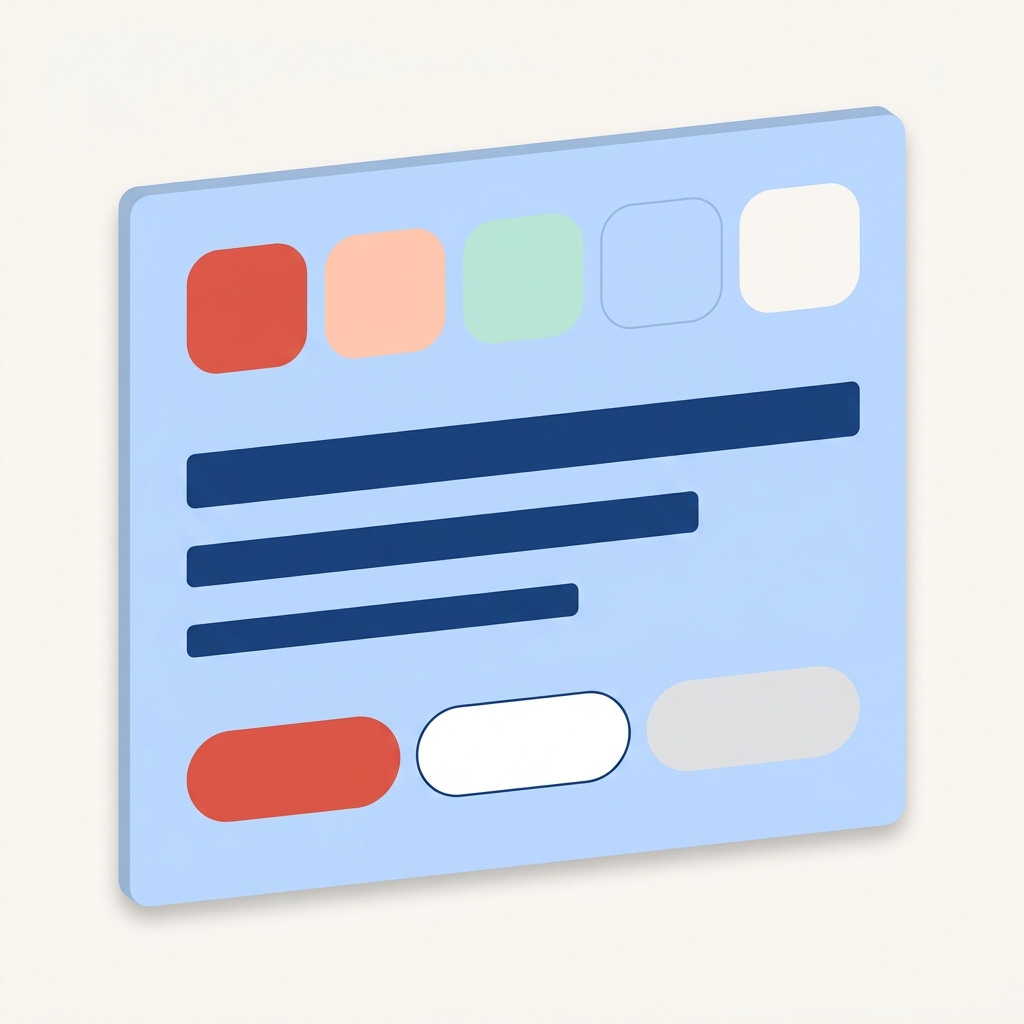
A flat editorial infographic illustration on a clean off-white #FAF6F1 square background. NO outer border, NO outlined frame, NO heavy contour lines, NO cartoon-style thick borders — match the soft editorial magazine illustration tone of the spec.html companion icon. Subject: a single design-system panel rendered as a soft sky-blue #B9D6FF rectangle with no outline, only a subtle ambient drop shadow, slightly tilted in 3/4 perspective. The panel fills about 80 percent of the canvas (large and readable). Three clearly separated horizontal rows are visible from top to bottom inside the panel: ROW 1 — five large rounded color swatch chips lined up edge to edge across the full width of the panel, in exactly these solid fill colors in this order: terracotta #E55345, peach #FFC7B3, mint #B7E6D6, sky #B9D6FF, ivory #FAF6F1 (each chip is plain solid color with rounded corners, NO icons inside, NO outlines, NO labels). ROW 2 — three thick horizontal bars stacked vertically, all in solid navy #1F4A8A, of decreasing width from top to bottom representing large / medium / small typography (these are simple flat bars, NO letterforms, NO 'A' character, NO serifs). ROW 3 — three clearly button-shaped pills side by side, large and obvious: pill 1 fully filled with solid terracotta #E55345, pill 2 a white pill with a thin navy #1F4A8A outline, pill 3 a light gray ghost pill (each is a clean wide pill, NO icons inside, NO keyhole shapes, NO arrows, NO toggle handles, NO text). Generous spacing between rows. Friendly flat editorial illustration style, soft and quiet, very minimal. STRICTLY no real letters, no numbers, no icons, no decorative symbols, no outer border, no logos, no keyhole or lock shapes, no toggle handles. Communicates 'design system tokens at a glance'. design-system.html

デザインルール

色やトーンを、ブラウザで開ける設計書に。

Before ブランドガイドがPDFのまま
After AIがそのまま再現できる
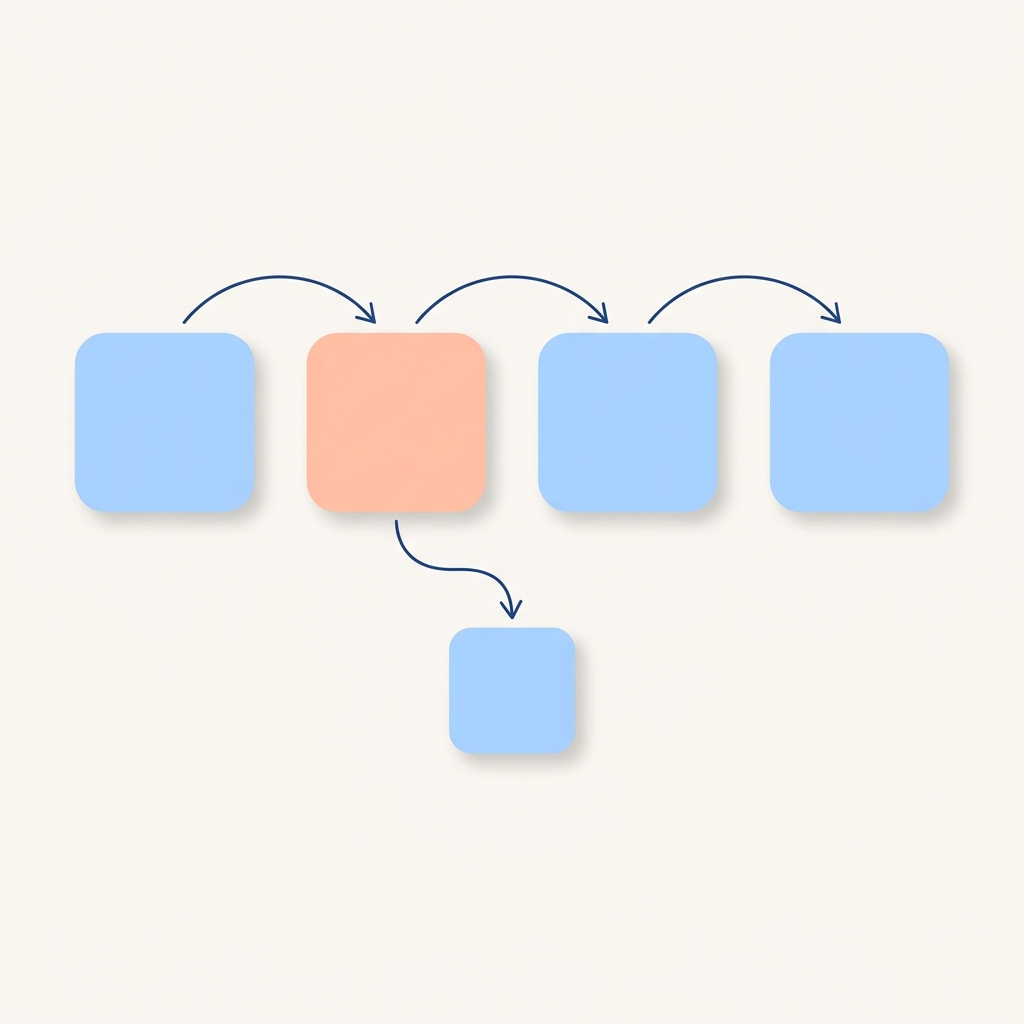
A flat editorial infographic illustration on a clean off-white #FAF6F1 square background. NO outer border, NO outlined frame, NO heavy contour lines, NO cartoon-style thick borders — match the soft editorial magazine illustration tone of the spec.html companion icon. Subject: a horizontal process flow diagram, large and centered, filling about 85 percent of the canvas. The diagram shows four clean rounded-square nodes arranged in a horizontal line, connected by smooth curved arrows pointing right. Each node is filled with a flat solid color and contains absolutely no icon, no symbol, no shape, no letter, no number — they must be COMPLETELY BLANK solid fills. Node 1: solid sky-blue #B9D6FF (blank). Node 2: solid peach #FFC7B3 (blank, this is the highlighted current step). Node 3: solid sky-blue #B9D6FF (blank). Node 4: solid sky-blue #B9D6FF (blank). The connecting arrows are thin navy #1F4A8A curves with small arrowheads. From Node 2 a single navy arrow branches downward to one additional small sky-blue #B9D6FF blank node, indicating a parallel sub-step. Soft ambient drop shadow under each node. NO panel background behind the diagram — the nodes sit directly on the off-white canvas. STRICTLY no icons, no gear, no handshake, no leaf, no checkmark, no document, no sparkle, no decoration of any kind inside or around the nodes; no real letters, no numbers, no logos, no outer border. The flow diagram is the only subject. Communicates 'a step-by-step business process'. workflow.html

業務フロー

定常業務の手順を、チームの共通資産に。

Before 手順が個人のメモに点在
After 新メンバーもすぐ読める
実務での広げ方

ファイルを繋げて、思い通りに作る

3層のMarkdownと、3種のHTMLを起点に、業務に必要なファイルを足していくだけ。
必要なときに、必要なだけ。すべて講座でカバーします。

ポリシー・禁止事項
policy.md

やってほしくないこと、機密情報の扱い、出力の検証ルール。組織で安全にAIを使うための守りの設計

デザインルール
design.md

色・タイポ・トーンの世界観統一。design-system.html へ束ねれば、AIがそのまま再現できるブランドの設計図になる。

業務フロー
workflow.md

複数AIをつなぐ手順書。workflow.html へ束ねれば、月次レポート・問い合わせ対応など定常業務をAIに任せる仕組みに。
プロジェクト前提
project.md

案件固有の制約・関係者・KPI。spec.html へ束ねれば、チームでAIを使う際の共通言語になる設計図に。

シーン別の使い方

どのAIで、何を書く?

業務シーンが違えば、推奨AIと書く .md、束ねる .html も少し変わります。

調べる・考える
思考整理・調査・壁打ち

推奨AI

ChatGPT Claude

書く .md

about.md style.md task.md

束ねる .html

(任意)

こんなことができる

  • 議事録から要点を抽出
  • 調査メモから提案書のたたき
  • 顧客課題の構造化
  • プレゼン台本の生成
業務をつくる
定常業務を任せる・組織で再現

推奨AI

Claude Projects NotebookLM

書く .md

about.md style.md workflow.md

束ねる .html

workflow.html

こんなことができる

  • 月次レポートの自動生成
  • 問い合わせの一次対応
  • 議事録 → アクション抽出
  • 競合動向の自動サマリ
形にする
LP・MVP・社内ツール

推奨AI

Claude Code Cursor

書く .md

about.md style.md CLAUDE.md

束ねる .html

spec.html design-system.html

こんなことができる

  • 動くLP(HTML/CSS/JS)
  • 業務効率化スクリプト
  • 社内ダッシュボード
  • MVP・プロトタイプ
AI不問 / TOOL-AGNOSTIC

学べるツールは、どれでもOK

推奨AIはあくまで目安。設計言語の核は特定のAIに依存しないので、
お手元の環境で、いま使えるAIから始められます。

ChatGPT
Claude
Gemini
Copilot

AIが進化しても、設計書はあなたの資産として残ります。

まずは、無料セミナーで全体像を掴んでください。
AI活用の市況と「設計言語」の考え方を、講師が45分でお話しします。本講座(ワークショップ)に進むかは、その後で決めてOKです。
無料セミナーへ問い合わせ
08 / 研修プログラム
業務に持ち込んで、成果につなげる

3つのシーンに対応する、3つの研修プログラム

どの研修も共通の核は「設計言語」。書く(Markdown)と束ねる(HTML)の二層を、ワークショップ形式であなたの業務シーンに合わせて身につけます。

PROGRAM 01
Chat
入門・全プロフェッショナル向け
¥ 50,000 /人
設計するMD
persona.md / context.md / task.md
設計するHTML
—(書く言語に集中)
  • AIをチャットで使い始めた全プロフェッショナル向け
  • 思考の壁打ちパートナーとしてAIを再現可能に使える
  • 全2回(オンライン)/ ワーク中心
  • 推奨AI:ChatGPT / Claude(無料プラン可)
詳しく見る
PROGRAM 03
Dev
PdM・エンジニア・デザイナー向け
¥ 150,000 /人
設計するMD
CLAUDE.md / design.md / tasks.md
設計するHTML
spec.html / design-system.html
  • 動くLP・MVPを自分で立ち上げられる
  • 仕様マークダウン × HTML の設計・公開まで
  • 全4回(オンライン + 個別レビュー)
  • 推奨AI:Claude Code / Cursor(補助:Copilot)
詳しく見る
BUNDLE
3点セット受講(Chat + Auto + Dev)
¥300,000 ¥250,000 17% OFF
DEEP DIVE / CLAUDE 特化
Claudeで1本化したい方は、こちらの講座へ
Chat / Cowork / Code / Pair の4プランで、Claude(Anthropic)に特化した深掘り講座を別ページにご用意しています。ターミナル不要・マークダウン記法も不要。経営層・部長層が「自分で動かせる」ようになるまでを徹底伴走。
Claude特化講座を見る →
09 / 受講者の声

受講者の声

業界・職種を超えて、設計言語が日々の仕事を変えはじめています。

毎朝、提案書のたたきを作るのに2時間かかっていました。persona.mdrules.md を整えてからは、30分で同じ品質のドラフトが出せるように。AIが急に頼れる部下になりました。

A様(営業企画リーダー)
中堅SIer / 東京都
PROGRAM CHAT

PdMとして仮説検証のスピードに悩んでいました。CLAUDE.mddesign.md を書き、spec.html で束ねれば、Claude Codeが動くLPまで作ってくれる。エンジニアの工数を借りずに検証が回せるのが革命的です。

C様(PdM)
HR企業 / 東京都
PROGRAM DEV
10 / 講師

講師について

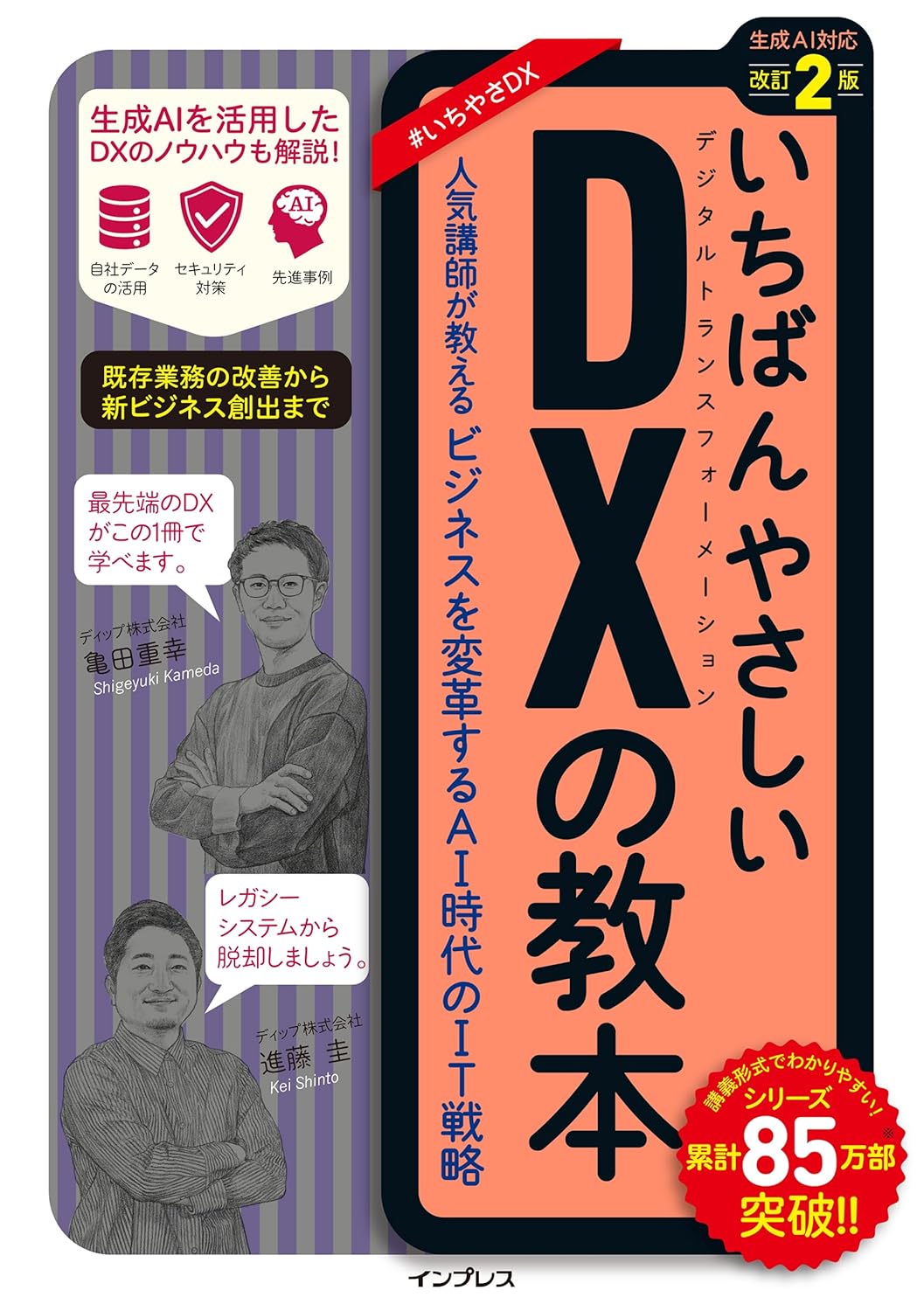
全プログラムを、かめち(株式会社HuX代表)が直接担当します。

亀田 重幸(かめち)
亀田 重幸(かめち)
株式会社HuX 代表取締役 / HCD-Net認定 人間中心設計専門家

元プログラマー・インフラエンジニア。ディップ株式会社で「dip Robotics」立ち上げ・AI&DXプロダクト推進責任者を経験。2025年に株式会社HuXを設立し、現在は複数企業のAI戦略推進を伴走。

私自身が「黒い画面で挫折した経営者」だった。プロンプトを工夫すればするほど、毎回違う結果が返ってくる。試行錯誤の末に行き着いたのが、Markdownで設計図を書いてAIに渡す作法。その瞬間、AIは「魔法」から「再現可能な道具」になりました。
しかし次に気づいたのは「書いた設計が、後から読まれない」問題。チームに渡しても、AIに渡し直しても、Markdownのままでは"流れて消える"。HTMLで束ねた瞬間、設計が参照される資産になった。MARKURUは、この二層の作法を体系化したものです。
HCD-Net 認定 pmconf 2024 登壇 pmconf 2025 登壇
11 / FAQ

よくある質問

説明会でよくお問い合わせいただく内容です。

Qプログラミング経験は必要ですか?
Chat / Auto は不要です。Dev でも「黒い画面ゼロ」を徹底しており、Claude Code / Cursor の GUI だけで完結する設計です。
QHTMLが書けないのですが大丈夫ですか?
大丈夫です。あなたが書くのはMarkdownで、HTMLへの束ね方はAIに任せる作法を学びます。「人間が手書きするためのHTML」ではなく、「AIに整形してもらい、人間が読めるようにする器」として扱います。
QChatGPTしか使ったことがありませんが大丈夫ですか?
むしろ推奨です。MARKURUはAI不問の講座。代表AIを推奨はしますが、お手元の環境で学べます。
Q法人での受講は可能ですか?
可能です。3名以上で法人プランをご用意します。社内 spec.html / design-system.html 整備の伴走もオプションで提供します。
Q受講後のサポートは?
卒業生限定 Slack コミュニティ+月1のオフィスアワー(半年間)。
QAIの進化が早いと聞きます。学んだ内容はすぐ陳腐化しませんか?
MARKURUの核はAI操作ではなく「設計言語」。AIが進化しても、Markdown × HTML で書いた設計書は移植可能な資産です。むしろAI進化の追い風を最大化できます。
12 / お問い合わせ

設計図を、書き始めよう。

AIは、来年も再来年も、新しい名前で登場する。
でも、あなたの設計図は、ずっとあなたの資産として残ります。
書き始めるのに、最適な日は今日。

45分・オンライン 講師が直接対応 営業なし 日程調整可
無料セミナーへ問い合わせる
CONTACT / お問い合わせ

まずは、無料セミナーから。

AI活用の市況と「設計言語」の考え方を、講師(かめち)が45分でお話しします。
本講座は、自分の業務を持ち込むワークショップ形式。まずはセミナーで全体像を掴んでください。
無料セミナー:45分・オンライン(Google Meet)
市況と設計言語(Markdown × HTML)の考え方を解説
本講座は別途、ワークショップ形式で開催
営業電話なし/日程調整可

ご相談内容は、お問い合わせの適合性確認と、ご案内のためにのみ使用します。
外部に共有することはありません(プライバシーポリシー準拠)。

送信後、自動返信メールをお送りします。
1営業日以内に届かない場合は、お手数ですが再送をお願いします。